NFC vs QR code business cards: which should you use?
Compare NFC and QR code business cards by phone support, sharing habits, costs and maintenance, then choose a setup with a useful backup.
The w.here team
9 min read
On this page
- Understand the three parts of a digital business card
- How the two sharing methods work
- Phone support needs a real test
- Compare the whole cost, including what happens next year
- Choose for the way you actually meet people
- Worked example: a photographer who meets people in several places
- Build the destination before ordering the carrier
- Run an acceptance check with the finished card
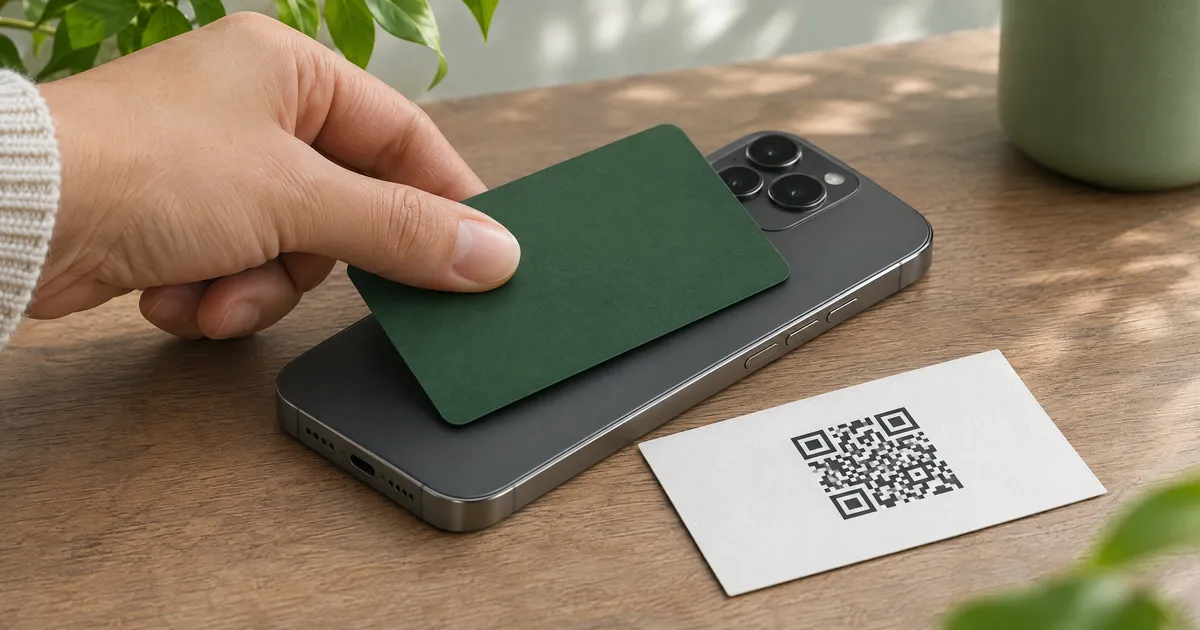
Choose a QR code business card when you want a simple printed option that people can scan, photograph or share on a screen. Choose NFC when most introductions happen face to face and you want to offer a tap; a card with both gives people a useful choice. The larger decision in NFC vs QR code business cards is which address they open, because that determines what you can update later.
Neither technology writes a convincing introduction for you. Both can lead to the same page with your name, work, contact details and next step. Start with that page, then choose the ways people will reach it.
Understand the three parts of a digital business card
A practical setup has a physical or visual carrier, an encoded address, and a destination. The carrier might be a plastic NFC card, a paper card with a QR code, or a QR image on your phone. The address is what the phone reads. The destination is the page that eventually opens.
This distinction prevents an expensive misunderstanding. Buying a premium NFC card does not necessarily give you ownership of its web address. Printing a QR code yourself does not necessarily mean its destination is fixed forever. A code that contains an address you control can keep working while you change the page there or configure a redirect.
Ask any supplier for the exact address stored on the card and what happens if you cancel its page service. If it points through the supplier's domain, find out whether continuing access requires a subscription. If you can program your own address, ask whether the card is writable, locked, or managed through a vendor account.
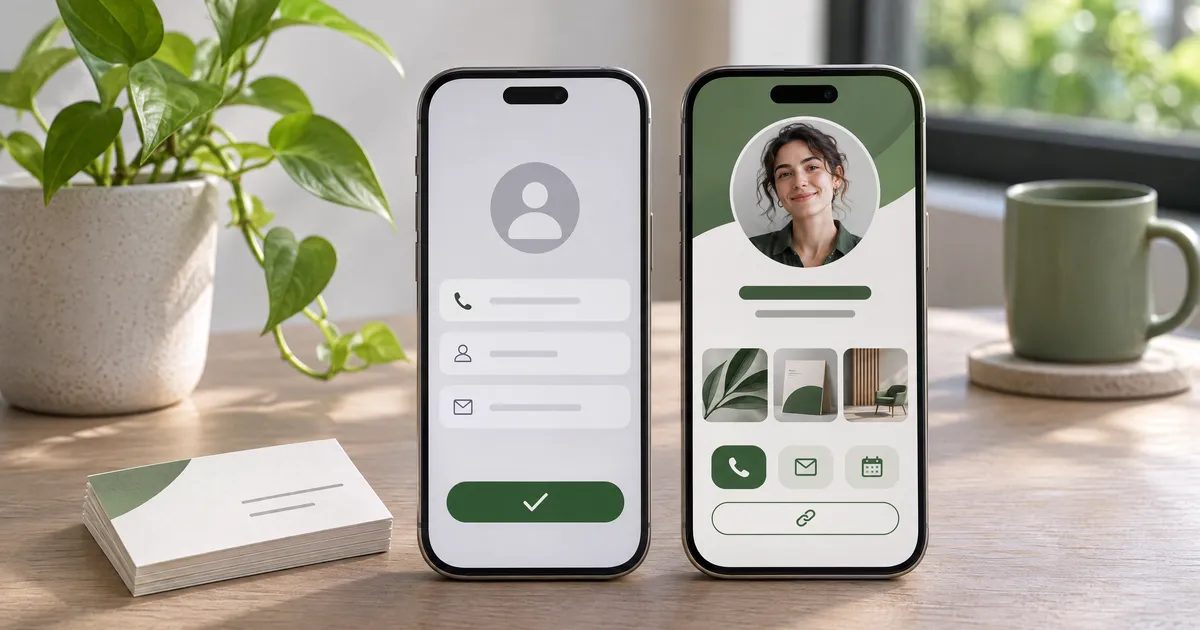
A digital business card page is the destination in this arrangement. NFC and QR are ways to reach it, alongside links in messages and a readable address on paper.
How the two sharing methods work
An NFC card contains a small chip and antenna. A compatible phone held close to it reads the stored information. Common passive tags draw power from the reading device, so the card itself does not need charging. Opening a web address is one of the uses described by the NFC Forum's introduction to NFC.
A QR code stores information in a visible pattern. A camera or scanner reads that pattern and offers the encoded action, such as opening a web address. The pattern can be printed, displayed on a phone or placed in a presentation. It needs to be visible and legible to the camera; an NFC tag needs a compatible reader close enough to its antenna.
For ordinary networking, storing a standard HTTPS page address is a useful default for either method. It leaves the visitor in a familiar browser and gives you room to explain your work before they choose to save your details or contact you.
| Practical question | NFC card | QR code card |
|---|---|---|
| How does someone use it? | Hold a compatible phone close to the tag | Point a compatible camera or scanner at the code |
| Can someone keep a photograph of it? | A photograph does not copy the NFC chip | A clear photograph can preserve the code |
| Can you share it on a video call? | The physical chip cannot be tapped remotely | A screen can show the code, though a clickable link is often easier |
| Does the card need power? | A typical passive tag needs no battery | A printed code needs no battery |
| What can change later? | The destination page; sometimes the tag payload | The destination page, while the printed payload stays fixed |
Phone support needs a real test
Do not treat “works with smartphones” as a complete compatibility statement. The phone needs the appropriate hardware and software, and its current state matters. A person with a compatible device may still be unfamiliar with where to hold it or which notification to open.
Apple documents background NFC reading on iPhone XS and later, with a notification the person taps to continue. It also lists circumstances when background reading is unavailable, including when the camera or Apple Pay Wallet is in use. See Apple's background tag reading guidance for the conditions rather than assuming every iPhone behaves identically.
On Android, hardware differs across devices. Google's documentation explains that devices usually look for NFC tags when the screen is unlocked, unless NFC is disabled in settings. Its NFC basics guide also describes how the tag's data determines the application that handles it. A payment-capable phone should still be tested with your particular card and URL.
When testing, start with the phone in an ordinary unlocked state. Try the position recommended by the card supplier and phone maker, then wait for a notification. If the recipient has already opened the camera to scan your QR code, finish that method instead of switching between instructions mid-action.
Ask permission before demonstrating on someone else's phone. “Would you prefer to scan this or have me send the link?” is often enough to avoid an awkward mini-training session.
Compare the whole cost, including what happens next year
The cost of the carrier and the cost of the destination are separate. A printed QR card has design and print costs. An NFC card adds the chip, antenna and manufacture, and may include programming or replacement charges. Either can link to a free page, a paid page, or a website you already maintain.
Write down the initial purchase, recurring page fee, replacement cost, and any cost for changing details. For a team, include the time needed to assign cards, remove departed staff and maintain consistent information. A low purchase price is less useful if changing a phone number requires replacing the whole card.
Use an illustrative budget comparison without guessing market prices: option A costs one print run plus your existing website; option B costs one NFC card plus the same website; option C includes a card and a recurring hosted profile. Ask suppliers for current amounts, then compare over the period you expect to keep the address.
Also compare the exit path. Can you export your contact details and images? Can you repoint the address? Can you reuse the physical NFC card with another destination? A reusable carrier and a portable address are different benefits, and a product may offer only one.
Choose for the way you actually meet people
For occasional networking, a paper card with your name, readable address and QR code can be sufficient. It is easy to hand over and gives someone a reminder after the conversation. Keep the essential contact information readable so the recipient is not required to scan anything immediately.
For frequent face-to-face introductions, an NFC card can be a useful object to carry and reuse. You usually keep the card while the other person opens your page. Add a QR code for people who prefer the camera and consider a few ordinary cards for those who want something to take away.
For market stalls or reception desks, visibility changes the choice. A QR code can invite several people to scan a sign without passing an object around. An NFC tag can work at a clearly marked tap point, but its placement must allow a phone to get close. Test the actual surface and installation, especially if the tag supplier specifies material restrictions.
For remote work, put the clickable page link in the meeting chat or follow-up message. A QR image on a slide can help someone using a second device, but a person already watching on their phone should not have to invent a way to scan their own screen.
Worked example: a photographer who meets people in several places
Consider an illustrative freelance photographer, Leila, who meets potential clients at events, answers enquiries by email and displays work at a local market. This is a hypothetical setup, not a report of customer results.
Leila creates a contact page with a short introduction, a few relevant photos, an enquiry link and an option to save her contact. She uses the same page address in three places: an NFC card she carries, a QR code on her market sign, and a clickable link in her email signature.
The NFC card suits a one-to-one conversation where she can explain the tap. The market sign suits people who are browsing independently. The email link lets an organiser forward her details to someone else. No single sharing method has to do every job.
Before ordering the card, she asks whether the chip can store her chosen HTTPS address. She checks that the QR code resolves to that same address, rather than an unrelated trial service. When she later changes enquiry tools, she changes the button on her contact page. The card and sign can remain in use because the address still serves the updated page.
If Leila instead changes the address itself, she must preserve a working route from the old one or replace the affected carriers. A web page being editable does not mean every old URL can be rescued.
Build the destination before ordering the carrier
Create a page that answers who you are, what you do, and what the visitor should do next. Include a direct contact option and enough context to make the introduction recognisable later. A portrait may help a person connect the page with the conversation, but it should not push the contact action far down the page.
Test the page in a browser where you are signed out. Check the enquiry link, phone action and contact download. Saving contact details is a separate action from opening the page, and the import prompt varies by device. The guide to making a digital business card without an app covers that workflow.
If you use w.here, its page address can be encoded in a QR code or a compatible NFC tag. It offers a template page, static upload or HTTPS redirect; it does not supply the NFC hardware. The address depends on an active yearly subscription and service availability, so include its upkeep in your plan.
For a different offline approach, compare vCard QR codes and digital business cards. A contact record embedded directly in a code has different update and compatibility tradeoffs from a code that opens a website.
Run an acceptance check with the finished card
Test the delivered item, not just the design proof. Printing, finishes, chip placement and the chosen destination all need to work together.
- Read the NFC tag and scan the QR code independently. Confirm the exact address each contains.
- Try representative iPhone and Android devices where available. Record which devices and conditions you actually tested.
- Open the page over mobile data, not only your own Wi-Fi.
- Follow the main contact action and check that it reaches the correct account.
- Try the contact-save option and review the fields before importing.
- Type the printed address manually to confirm the fallback is correct.
- Change a harmless page detail, then revisit through both carriers to check the update path.
- Record who controls the address, renewal reminders and the replacement procedure.
Keep the readable address on the card even when both technologies work well. At the next introduction, offer the method that suits the other person, then let the page carry the useful information after the conversation ends.